Premade Layouts
Starting from an imported premade layout is one of the fastest ways to get to a polished result, because it gives you a complete, professionally structured page right from the beginning. Instead of building every section from scratch, you can focus on adapting the content, refining the structure, and matching the design to your brand. With over 240 hand-crafted layouts available, you can quickly find a starting point that fits your goal, whether it is a landing page, a service page, or something more content-heavy. Each layout also comes with a range of global style options, so you can instantly explore different visual directions and apply a cohesive look across the entire page with minimal effort.
How to Add a Premade Layout
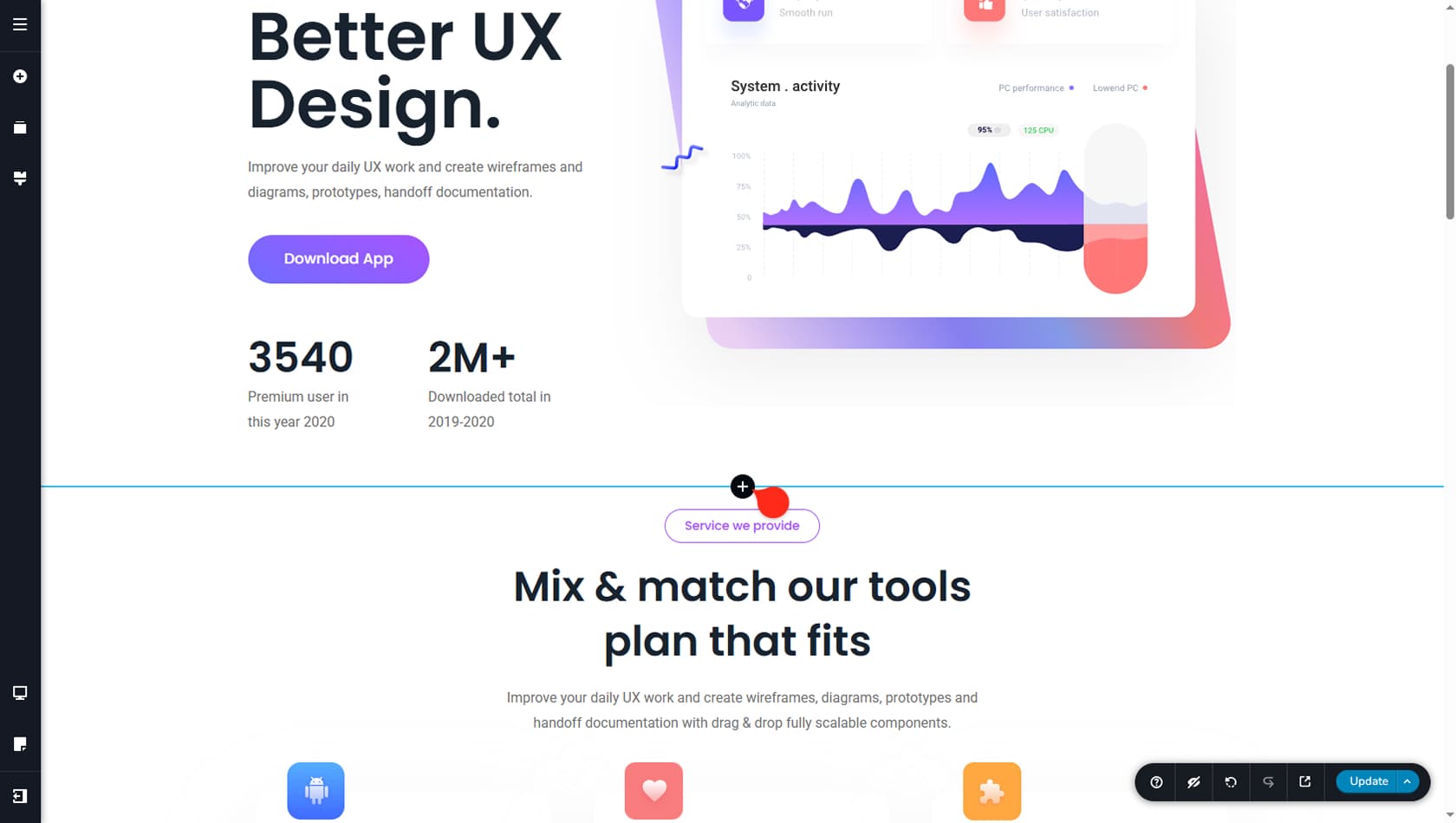
Click the plus icon in the editor where you normally add blocks and layouts, then switch to the Layout tab on the left.
Layouts List
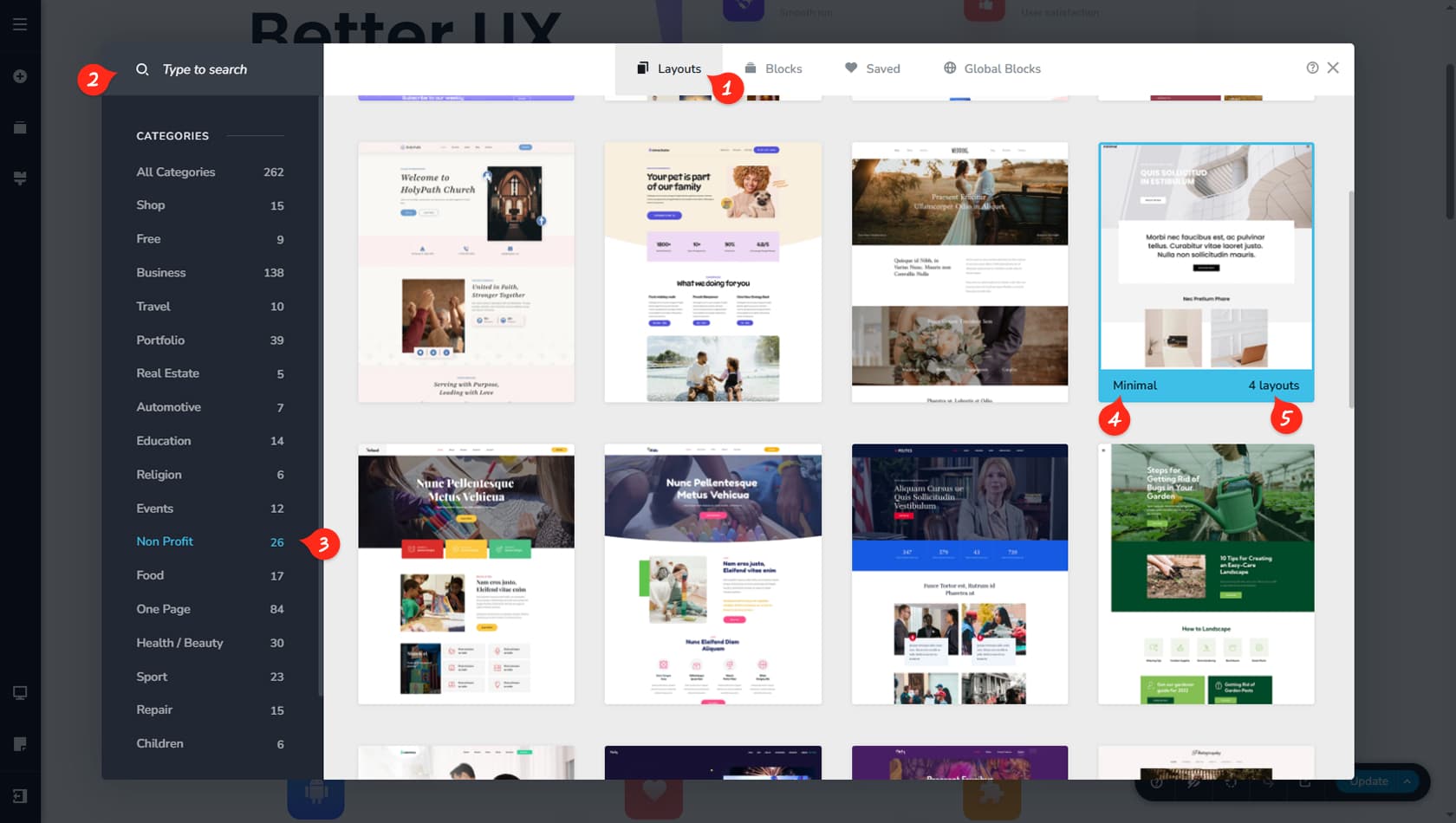
This area shows the full collection of premade layouts available to import.
Search
Use the search bar to find a layout that matches your needs. Try keywords like Contact Form, Homepage, or Team Members to narrow the results.
Categories
Filter layouts by category to quickly browse layouts related to a specific type of page.
Layout Name
The layout title is shown here so you can identify it at a glance.
Layout Pages
This displays how many pages are included in the layout package.
Page List
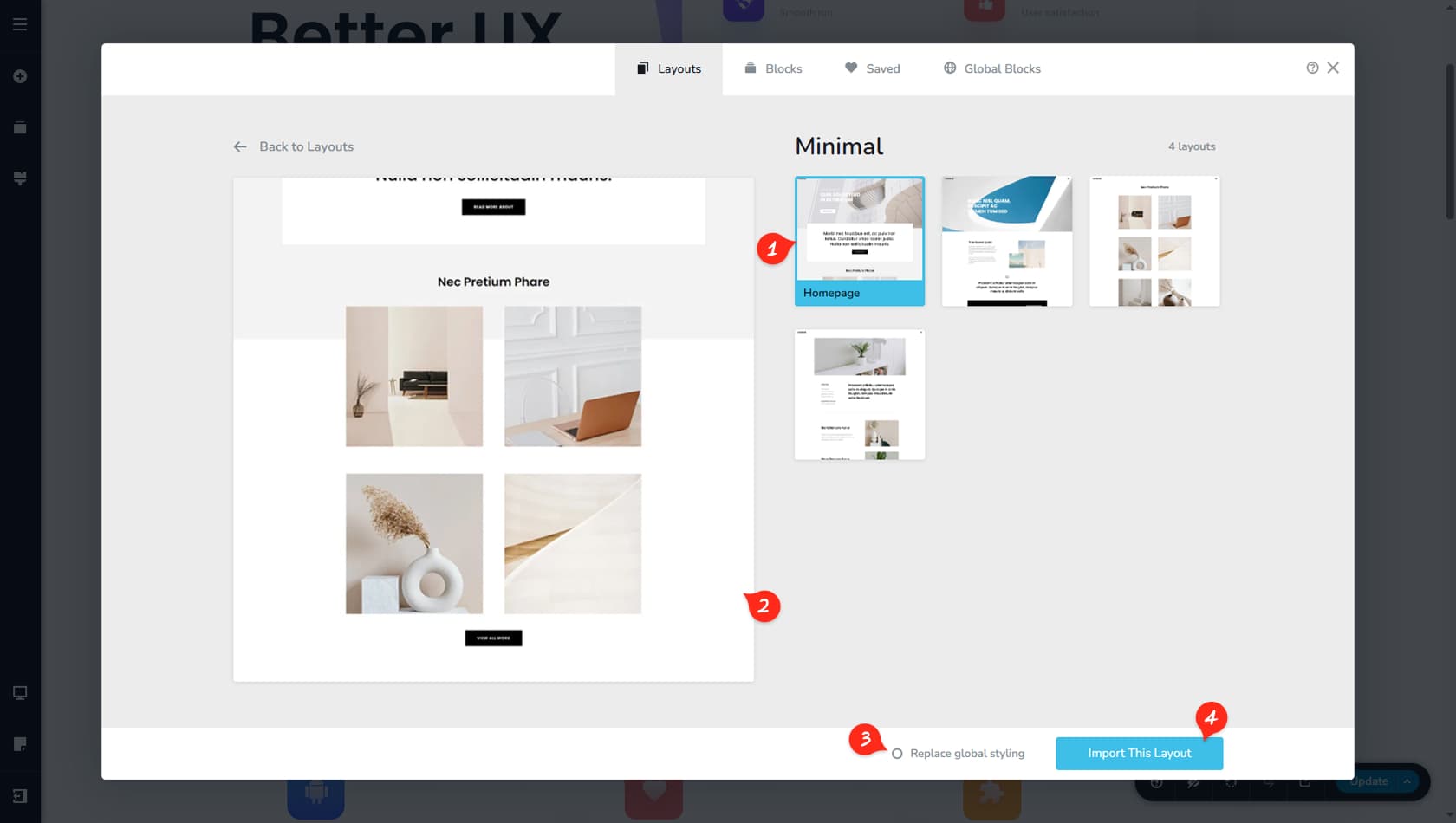
This section shows every page included in the layout. When you select a page, it appears as a preview on the left side of the panel.
Page Preview
This area displays a preview of the selected page before you import it, so you can confirm it includes the structure and content you need.
Replace Global Styles
You can choose whether the imported page layout should apply its global styles to your project or keep your existing global styles unchanged.
You can only reverse this choice using Undo from the bottom-right toolbar before Updating your changes. After you confirm the import by updating, your current global styles will be replaced. To avoid losing your preferred setup, switch to another global style preset before importing.
Import
From here, you can import the selected page layout into your current page.