Comments
The Comments widget allows visitors to interact directly with your content by leaving feedback, sharing opinions, or starting discussions on a specific page. By integrating familiar platforms like Facebook or Disqus, it encourages engagement and builds a sense of community while giving users a simple and recognizable way to participate in conversations.
Comments Options
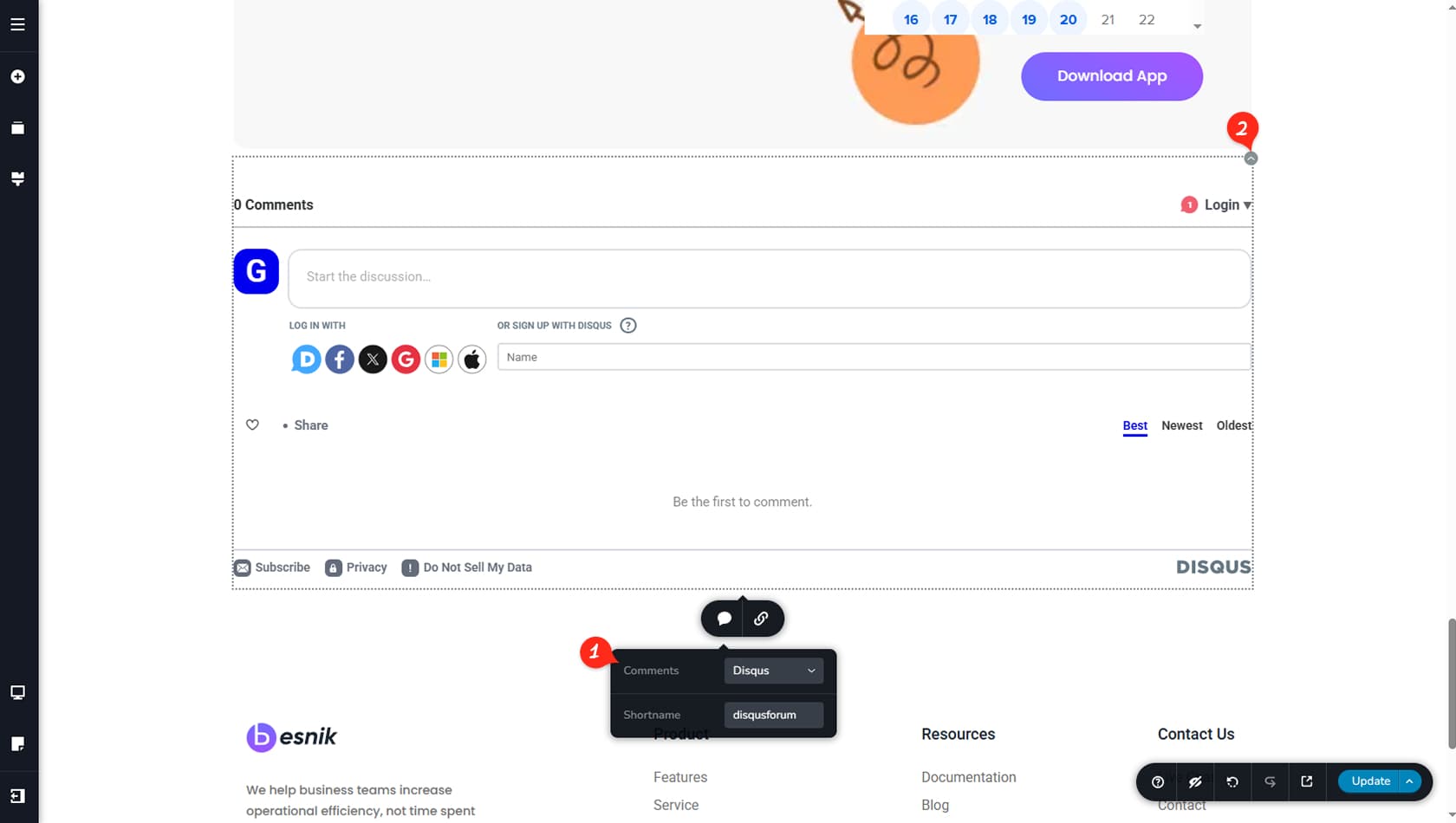
Set Up Comments
By selecting the comments area, you can switch between Facebook and Disqus comments, define a shortname, and choose whether the comments target the current page URL or a custom URL of your choice.
Customization Options
Customization options for the widget are intentionally minimal, focusing on quick setup rather than complex styling. From the icon in the top-right corner, you can adjust basic visual elements such as colors, alignment, and width to match your layout, as well as duplicate or remove the widget when needed, keeping the implementation simple and efficient.