Code Inject
Code Inject allows you to insert custom CSS or JavaScript directly into the header or footer of your website, either globally or on a specific page. This provides advanced flexibility beyond the visual builder, enabling integrations with third-party services, custom tracking scripts, performance enhancements, or highly specific design adjustments. By allowing precise control over additional code, it empowers experienced users to extend functionality while keeping the core structure of the project intact.
Project Settings Code
CMS
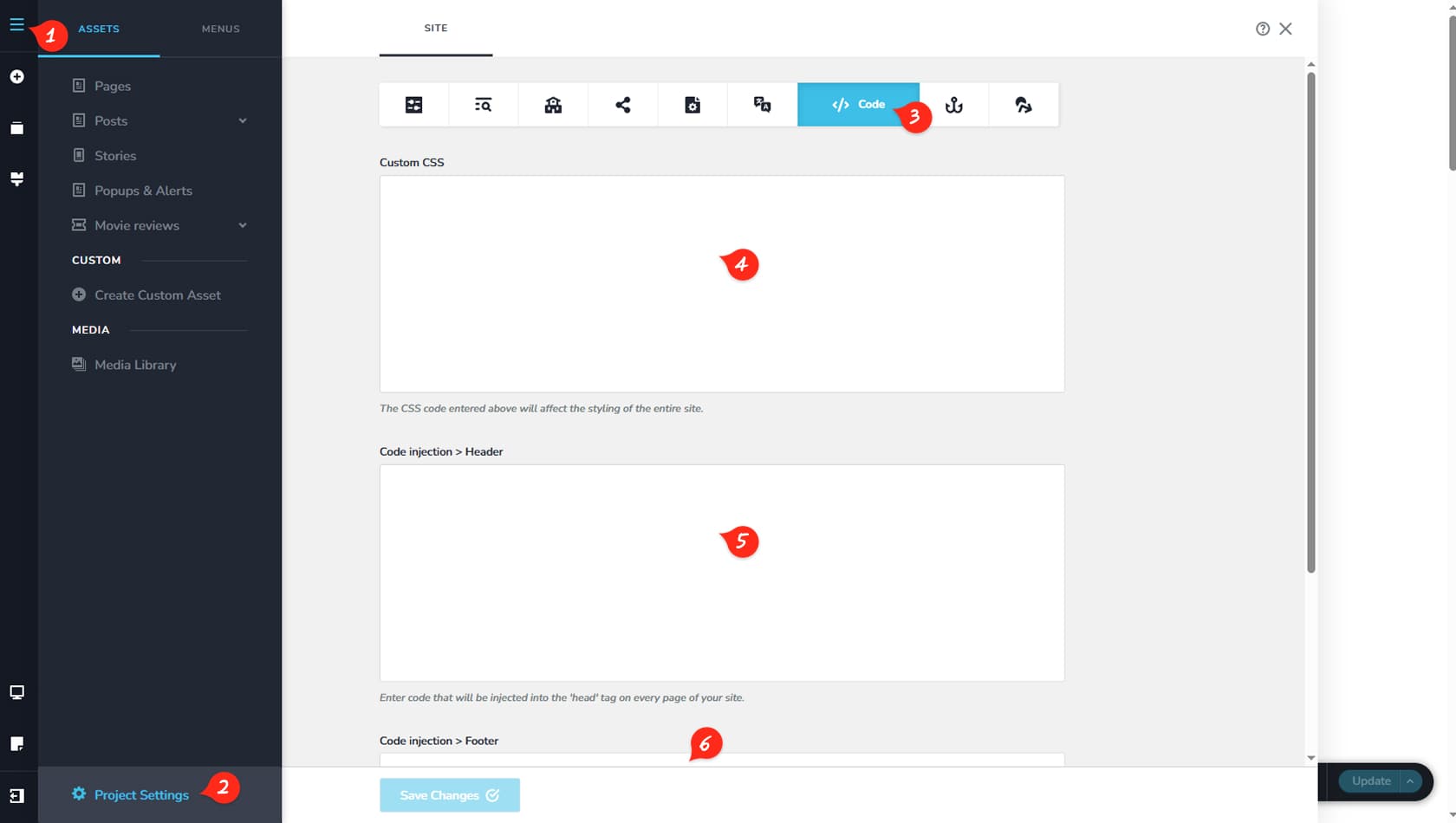
First, click the CMS icon located in the top-left corner of the interface.
Project Settings
Next, select Project Settings at the bottom of the panel.
Code
Then navigate to the Code tab.
Custom CSS
Here you can add custom CSS to your project using existing classes or general builder classes.
Header Code
This section allows you to inject code into the header.
Footer Code
This section allows you to inject code into the footer.
Page Code
Pages
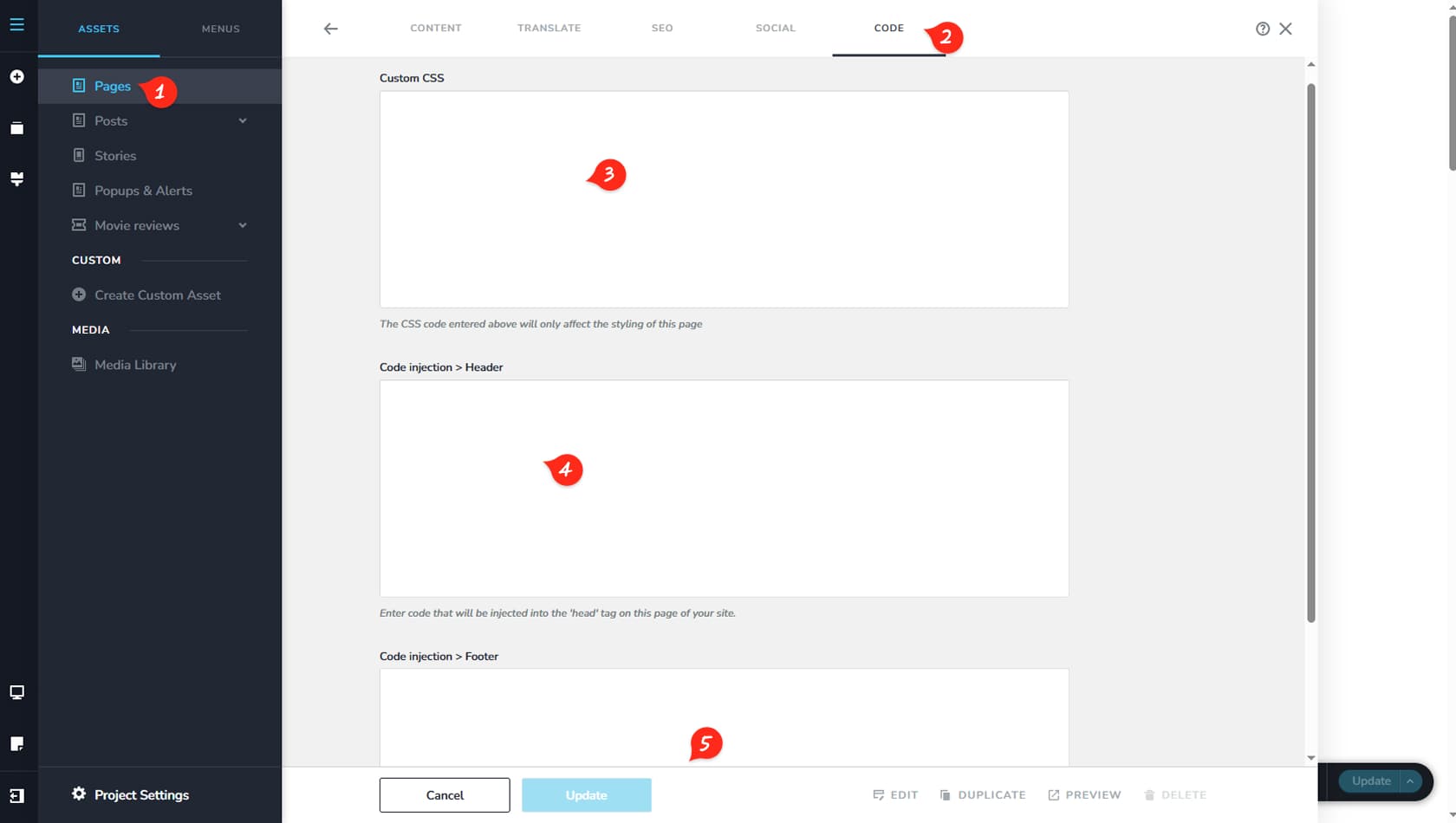
To inject code into specific pages, navigate to the pages option in your CMS and click on the title of the page you want to modify.
Code
From there, navigate to the Code tab on the utmost part of the page options.
Custom CSS
From here you can add custom css to your page.
Header Code
From here you can inject code into your header.
Footer Code
From here you can inject code into your footer.