Embed
The Embed widget gives you the flexibility to extend your website beyond built-in features by allowing custom HTML code to be added directly into the page. This makes it possible to integrate external tools, third-party services, custom scripts, or unique design elements that may not exist as standard widgets. By supporting direct code insertion, the Embed widget empowers more advanced customization, enabling you to create highly dynamic experiences while keeping full control over how external content appears and behaves within your layout.
Embed Options
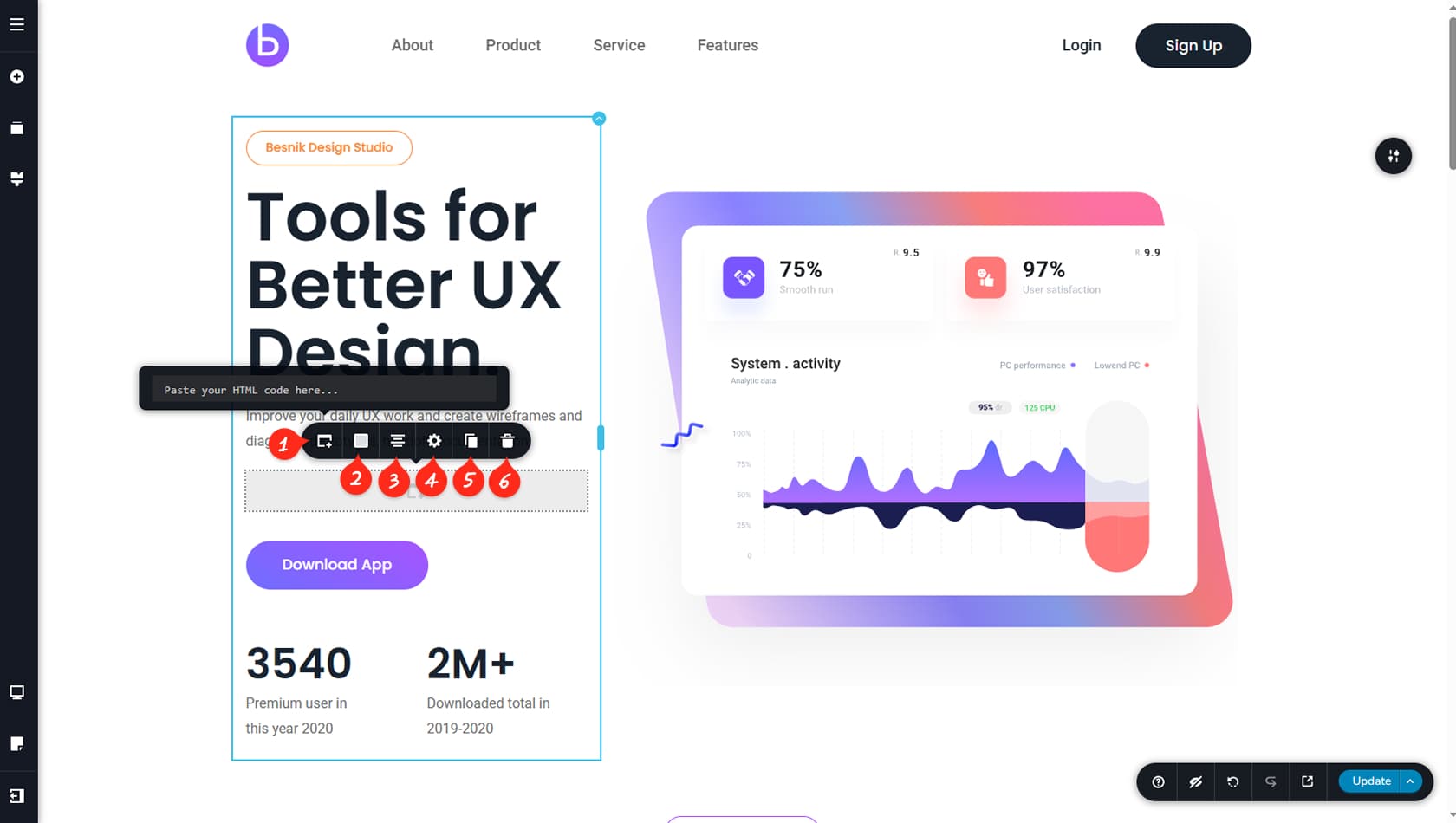
Embed HTML
The Embed widget includes a simple toolbar, where the first icon on the left opens the field used to insert your HTML code.
Embed Colors
This option allows you to customize the widget’s background color, borders, shadow, and hover settings.
Embed Alignment
This setting controls the alignment of the Embed widget, letting you position it left, center, or right.
Settings Panel
The Settings Panel allows you to adjust width, height, and toggle content overflow. It also provides access to the Styling and Effects panels, where you can manage padding, margins, animations, and more.
When referring to the Styling Panel of the widget, please see the Widgets Styling article for more details and an in-depth guide. Note that most widgets share similar styling options, with slight variations depending on the specific widget.
Duplicate Widget
This control duplicates the widget.
Delete Widget
This control deletes the widget.