Webhooks
Webhooks are a way for your website to automatically send information somewhere else when a trigger occurs. For example, when someone submits a form, your site can instantly send that data to another tool like a CRM, email service, or automation platform — without you doing anything manually. This helps you connect your site with other services and automate repetitive tasks so your workflow runs more smoothly.
How to Setup Webhooks
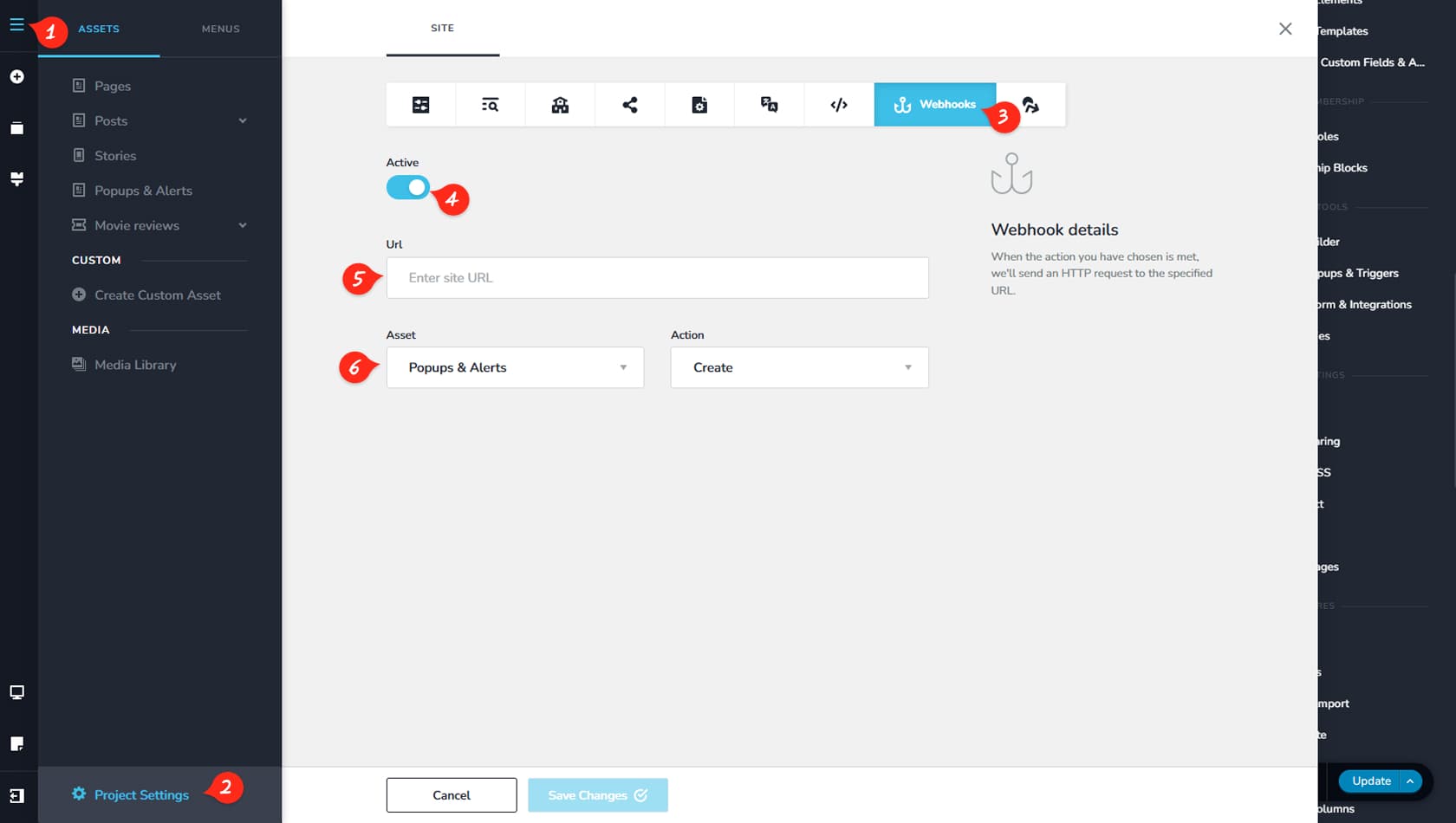
CMS
First, click the icon in the top-left corner to open the CMS panel.
Project Settings
Next, select Project Settings.
Webhooks
Then open the Webhooks tab from the list.
Toggle Active
After creating a webhook, you can enable or disable it from this toggle.
URL
Here you can paste the URL where the data should be sent.
Asset and Action
This section lets you choose the asset type and the webhook trigger. For the Action, you can select Create, Update, or Delete. For example, you can send data automatically when a new page is created.