SEO
SEO settings help optimize your website for search engines, improving its visibility and discoverability online. By configuring titles, meta descriptions, indexing rules, and other search-related elements, you increase the chances of your content appearing in relevant search results.
Submit your website to Google
Configuring the settings on this page is only half the job. Google does not know your website exists until you tell it, so a new site will not appear in search results no matter how well its SEO is set up.
Submit it through Google Search Console . It is free, you add your website once, and Google then knows to come and look at your pages.
Search Console also shows you which searches bring people to your website, which pages Google has found, and any problems it ran into while reading them.
Results are not instant. Google has to visit your website before anything appears in search results, and that can take days or weeks. Submitting early is worth doing for that reason.
Project Settings
CMS
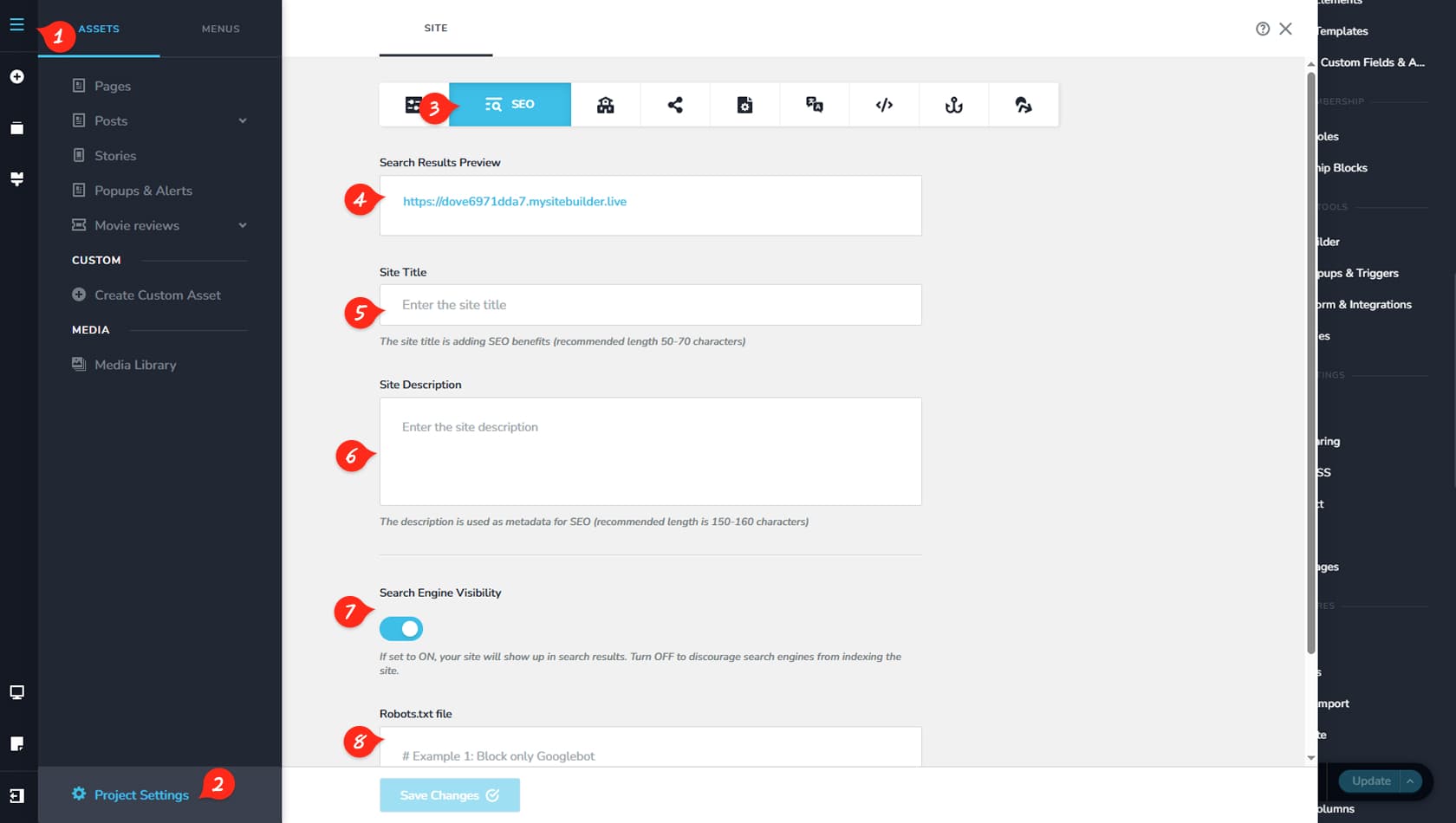
First, click the CMS icon located in the top-left corner of the interface.
Project Settings
Next, select Project Settings from the panel.
SEO
Then open the SEO tab to access the project’s SEO configuration options.
Project URL Preview
Here you can preview how your project URL will appear when indexed.
Project Title
This field allows you to define the project title.
Project Description
Here you can enter a meta description for your project.
Search Engine Visibility
This option lets you disable search engine visibility if needed.
Manage Robots.txt
Here you can manage crawler access to your site using the robots.txt file.
Project Settings
Pages
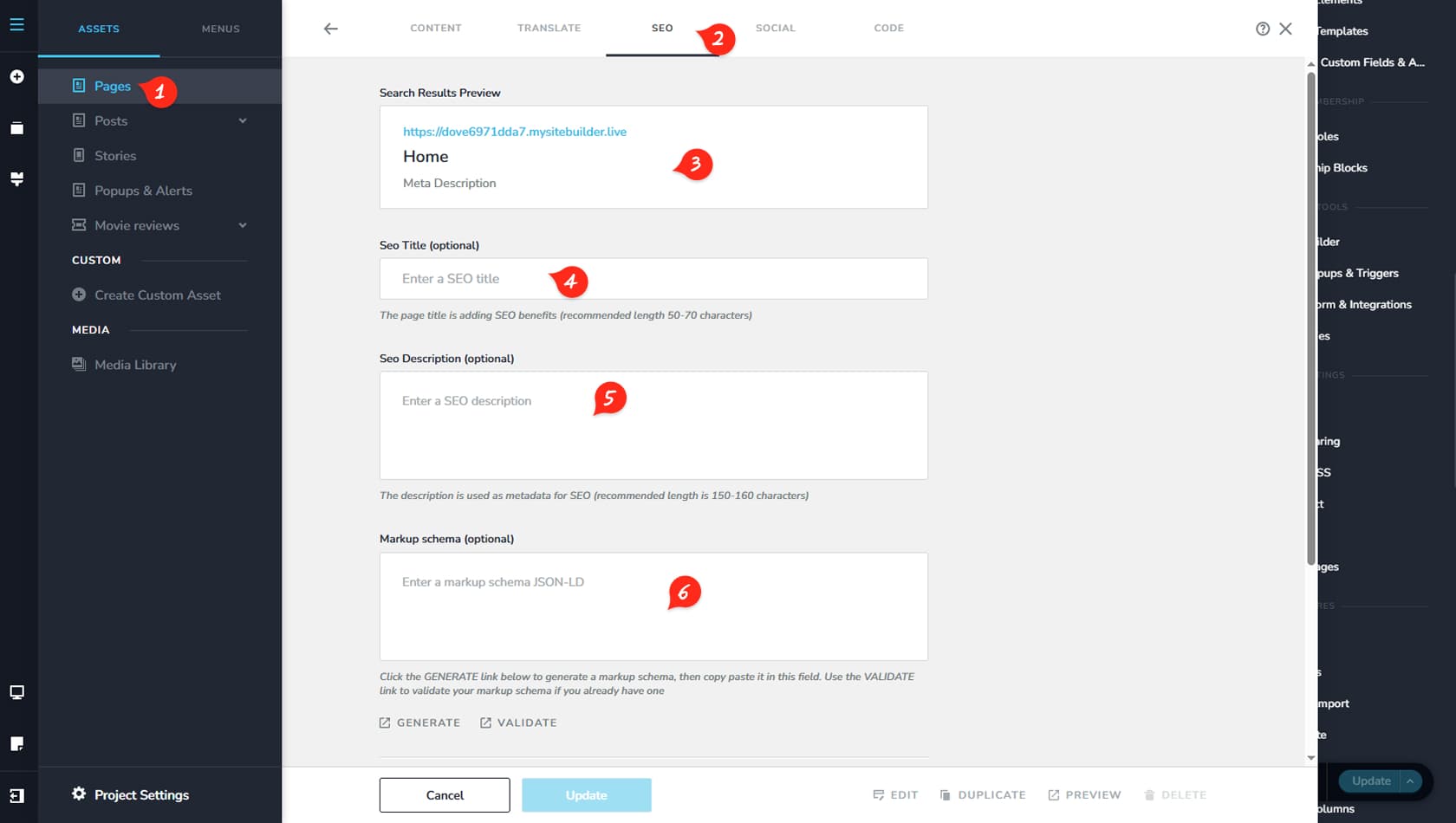
Navigate to the Pages section in the CMS.
Page SEO
Select the page you want to edit, then open the SEO tab at the top.
Page URL Preview
Here you can preview how the page will appear when indexed.
SEO Title
This field allows you to define the SEO title for the page.
SEO Description
Here you can enter the page’s SEO description.
Schema Markup
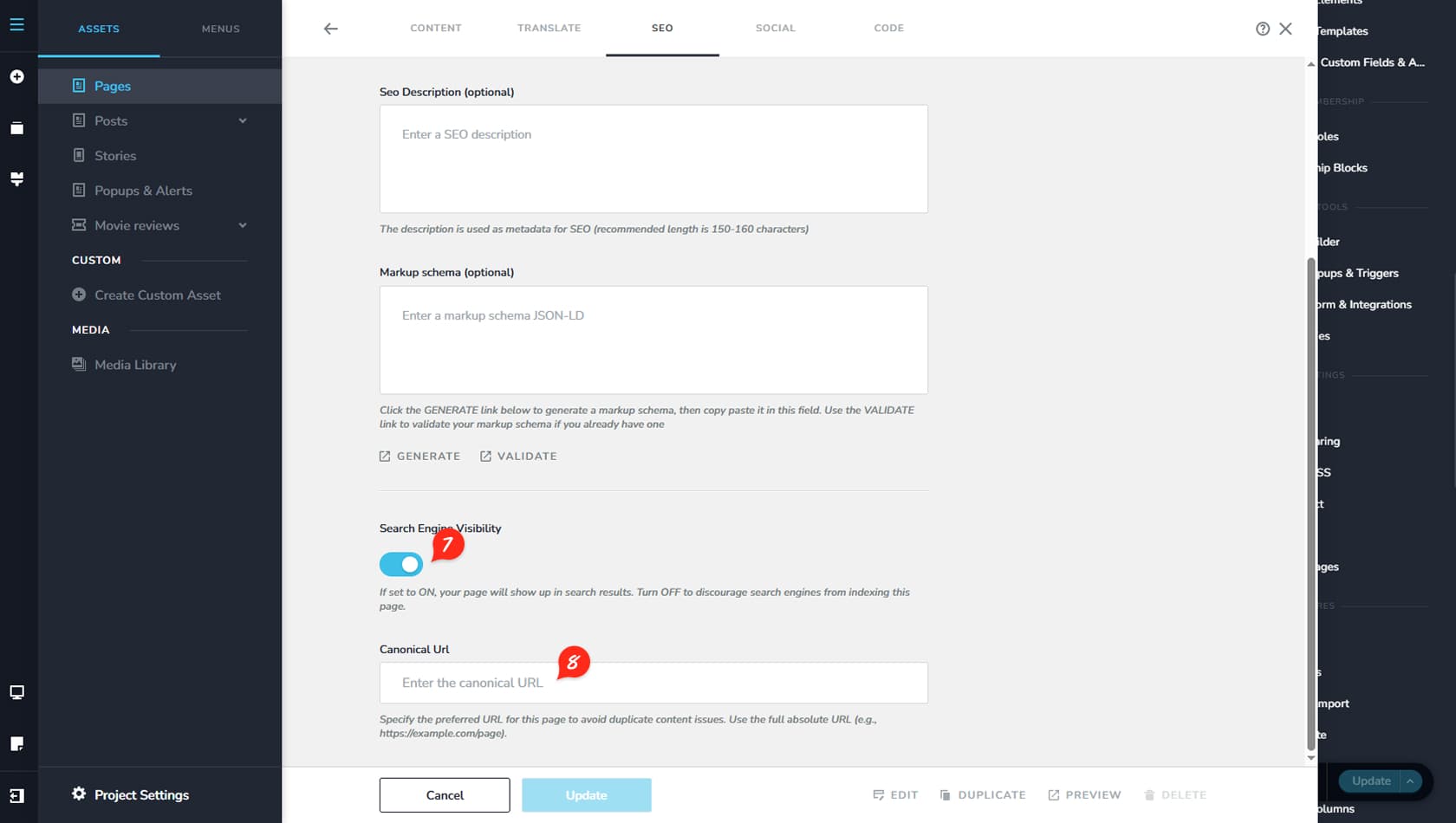
Schema Markup is structured data added to your website’s code that helps search engines better understand your content and display enhanced results, such as ratings, events, or FAQs, directly in search listings. From this section, you can generate a new schema markup or validate an existing one.
Page Visibility
This option lets you disable the page’s visibility in search engines.
Canonical URL
Here you can assign a canonical URL to the page.