System Pages
The System Pages panel allows you to manage essential utility pages such as Coming Soon, Maintenance Mode, and Page Not Found from a centralized location. By enabling these pages when needed and customizing them in the visual builder, you maintain control over the user experience even during downtime or unexpected navigation errors.
CMS
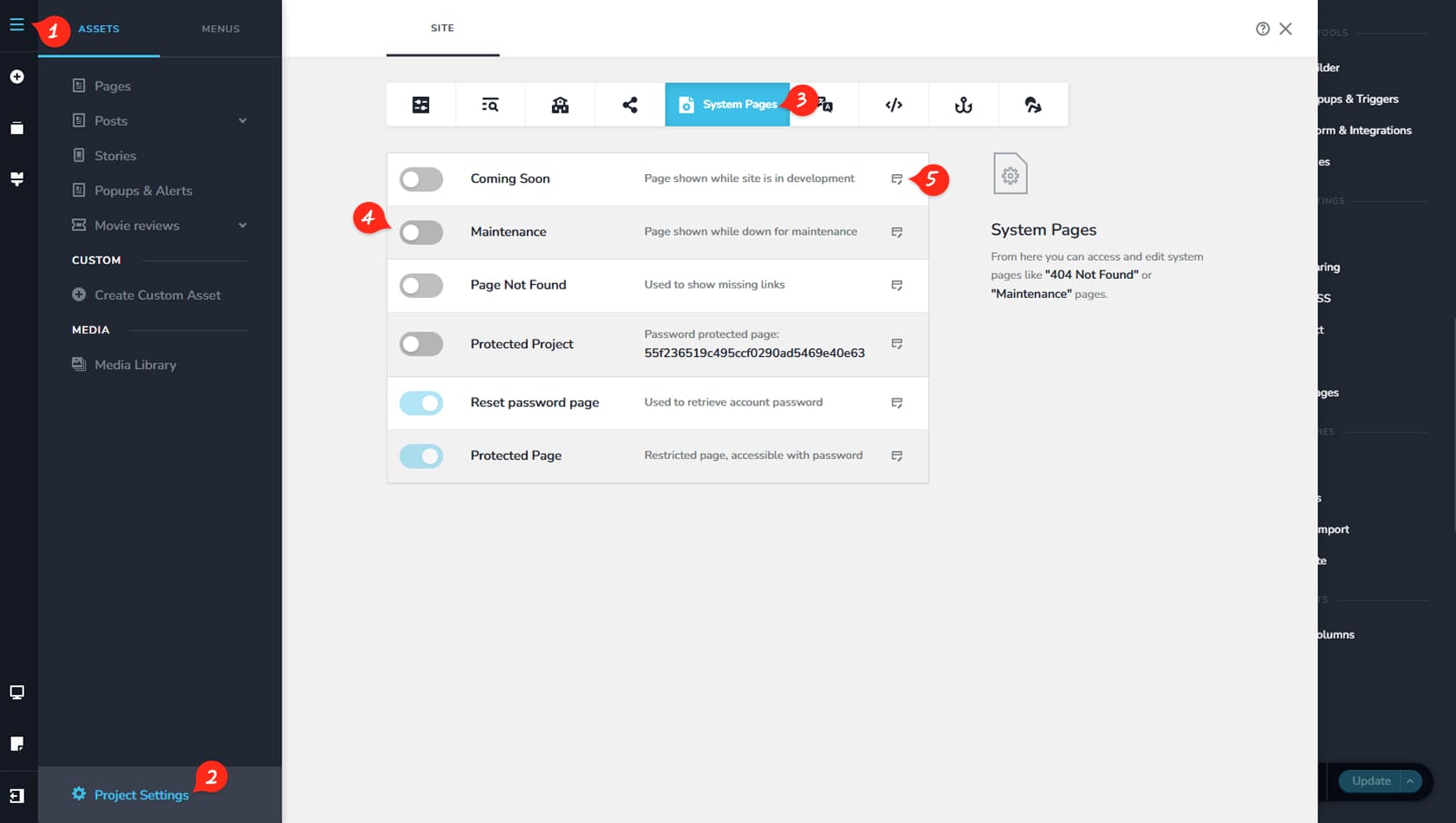
Start by clicking the CMS icon in the top-left corner of the interface.
Project Settings
Next, select Project Settings.
System Pages Tab
Then open the System Pages tab located at the top of the Settings panel.
System Pages Toggles
Here you can enable or disable the following System Pages: Coming Soon, Maintenance, Page Not Found, Protected Project, Reset Password Page, and Protected Page. These pages do not appear in your regular Pages list and can only be accessed and managed from this panel.
System Pages Edit
Like any standard page, these system pages can be edited in the visual builder by clicking the small Edit icon on the right.