Set up permalinks for SEO ranking
A permalink is the web address of one particular page — the part after your domain name.
In yourdomain.com/blog/spring-opening-hours, the permalink is /blog/spring-opening-hours.
Clear, readable addresses help you rank on Google and make a website look professional and
trustworthy. /recipes/lemon-tart tells a visitor exactly where they are.
/page-id-40718 tells them nothing.
Two different things
These get muddled constantly, so it is worth separating them before you start.
| What it is | Where you set it | |
|---|---|---|
| A permalink structure | A pattern applied automatically to every post of one kind. Set it once. | On the asset, from the gear icon |
| A custom permalink | A one-off address for a single post or page, overriding the pattern. | On that individual post or page |
Think of the structure as your house style for addresses, and a custom permalink as the exception you make when one page deserves special treatment.
Setting the structure for blog posts
Open the settings
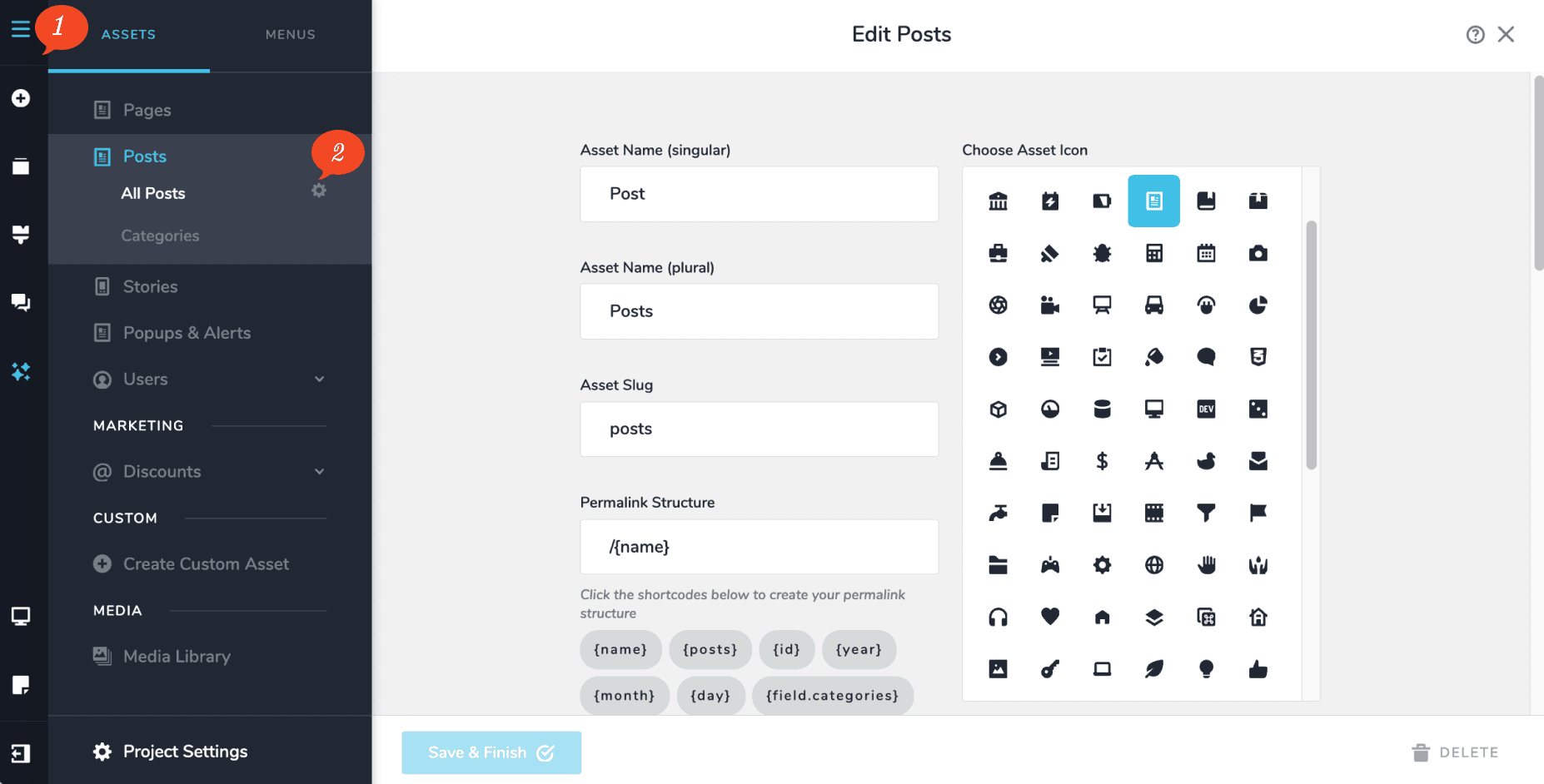
In the CMS menu, click the gear icon next to All Posts.
Choose your asset slug
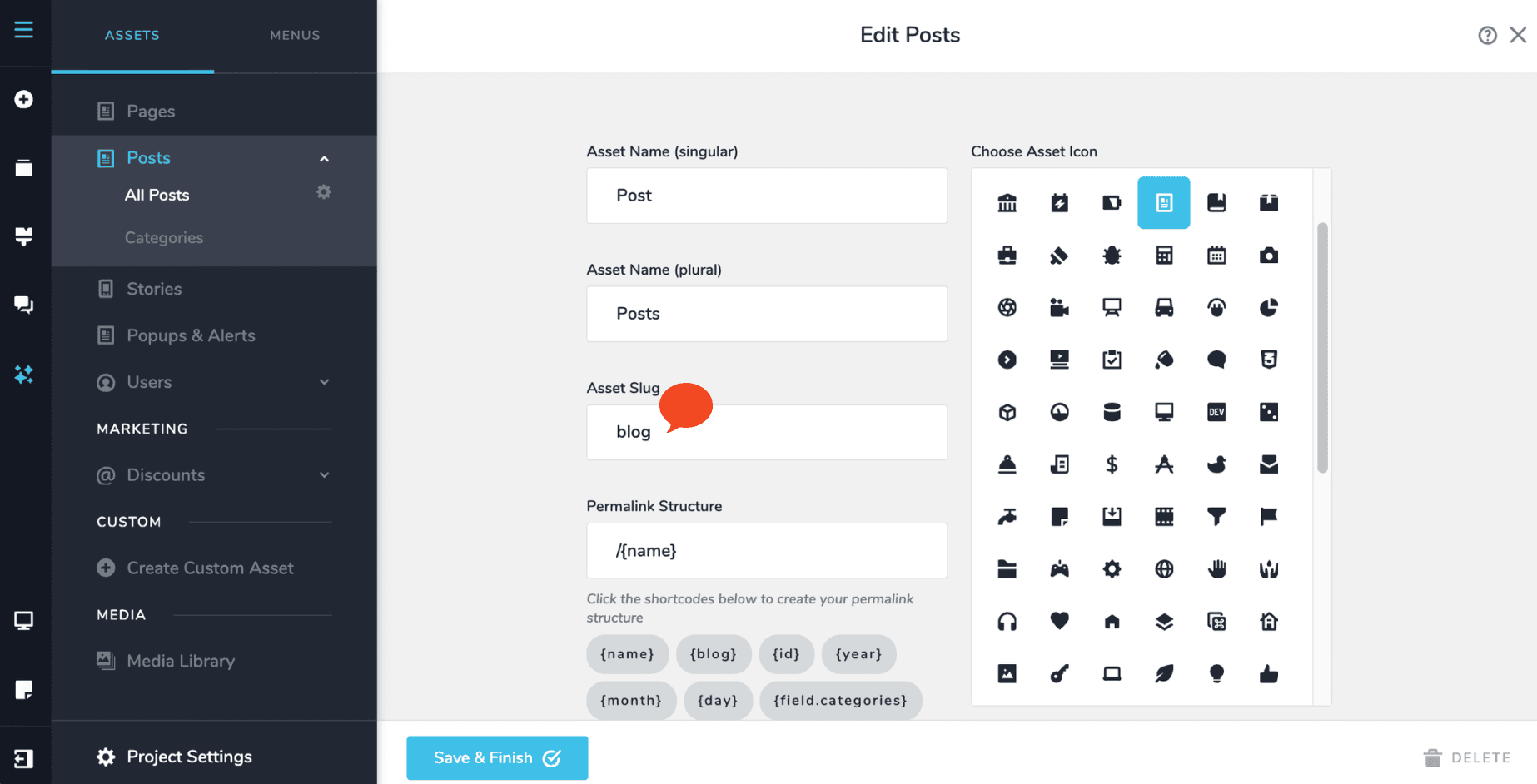
The Asset slug is the folder all your posts sit inside. Put blog here and your posts will
live at yourdomain.com/blog/....
Build the pattern
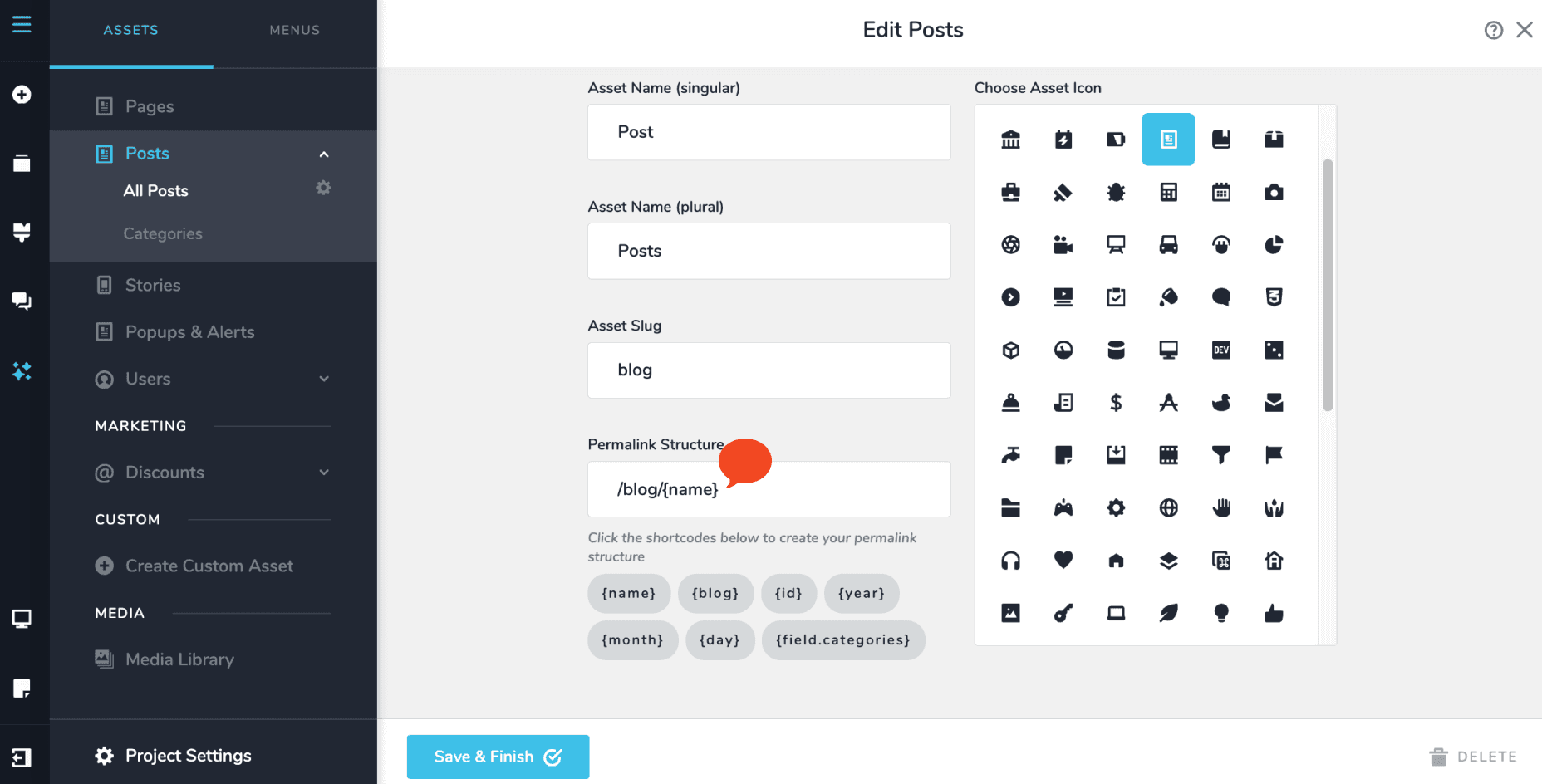
In the Permalink Structure field, click the available shortcodes to assemble a pattern.
For addresses like /blog/spring-opening-hours, use:
/{blog}/{name}Here {blog} is your asset slug and {name} is the individual post’s own slug.
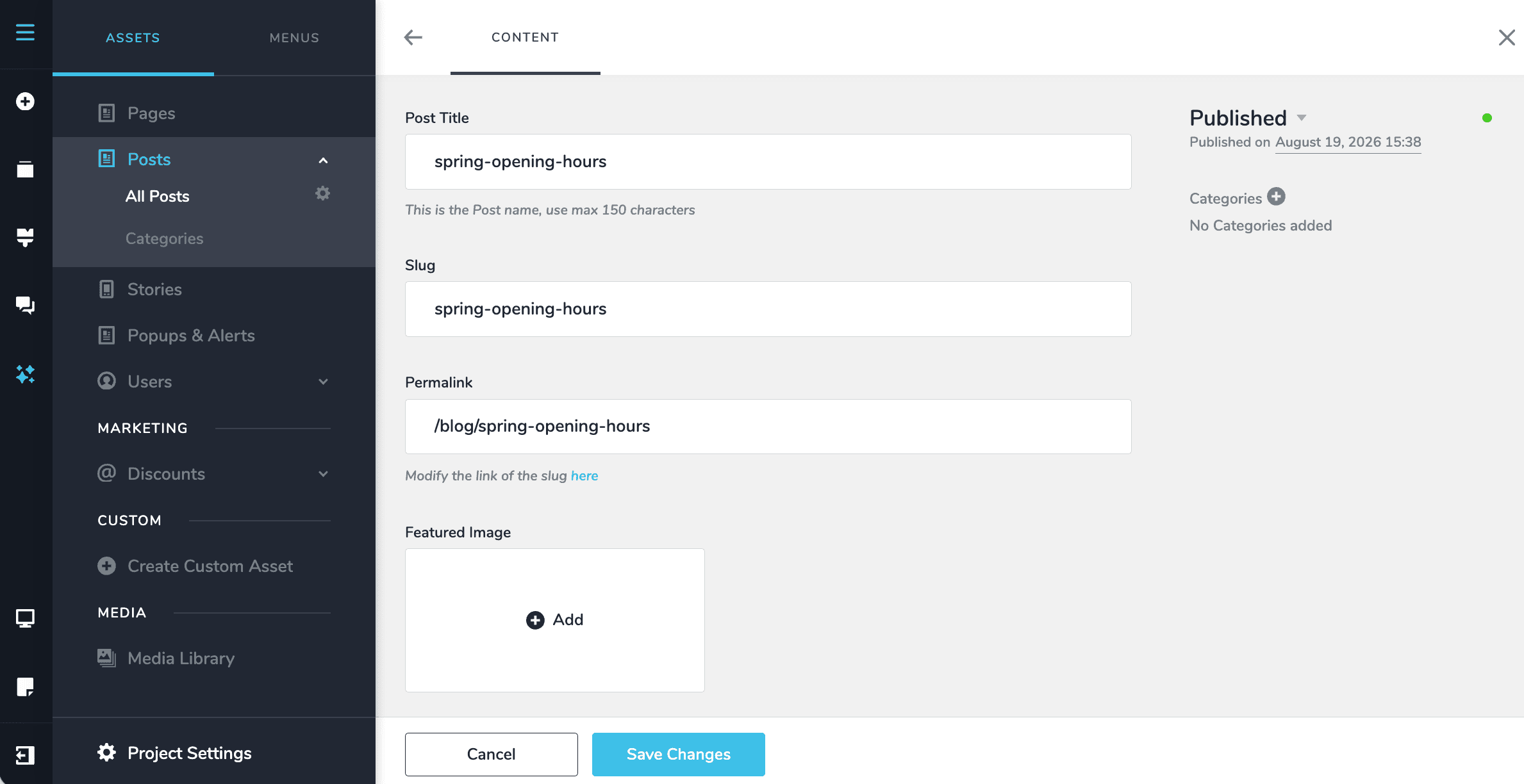
That is it. Every post you write from now on gets its address built for you.
The shortcodes
The shortcodes you see are generated from your own setup, so your list will not match anyone else’s.
- Your asset slug becomes a shortcode. Slug
bloggives you{blog}. Slugarticlegives you{article}. - Every category type you add gives you one. A Categories taxonomy gives you
{field.categories}. Add Tags as well and you also get{field.tags}.
Some patterns and what they produce:
| Based on | Structure | Result |
|---|---|---|
| Folder + name | /{blog}/{name} | /blog/spring-opening-hours |
| Category | /{blog}/{field.categories}/{name} | /blog/news/spring-opening-hours |
| Two categories | /{field.categories}/{field.tags}/{name} | /news/shop/spring-opening-hours |
| Post number | /{id} | /9101925 |
| Date published | /{year}/{month}/{day}/{name} | /2026/05/20/spring-opening-hours |
Shorter is usually better. /blog/spring-opening-hours is easier to read aloud, easier to
type, and easier to remember than a four-level address.
Doing the same for a custom asset
Custom assets work identically. Say you have built one called Recipes:
Open its settings
Click the gear icon next to All Recipes in the CMS menu.
Set the slug
Put recipes in the Asset slug field.
Build the pattern
Use /{recipes}/{name} for addresses like /recipes/lemon-tart.
Your shortcodes follow the same rule. Asset slug recipes gives {recipes}. A Cuisines
category gives {field.cuisine}, so /{recipes}/{field.cuisine}/{name} produces
/recipes/italian/lemon-tart.
See Custom fields for building custom assets.
Overriding one post
Once a structure is set, addresses are generated automatically, and that is what you want almost all of the time.
Occasionally one post deserves its own address. Type the address you want into the Permalink field on that post and click Update. It overrides the pattern for that post only, and everything else carries on as normal.
A real example. Your usual pattern gives /news/offers/winter-deal. For a campaign you
want something punchier to print on a flyer, so you set that one post to
/winter-deal-2026. Every other post keeps the house pattern.
Pages work differently
Pages have no structure setting. There is no pattern to apply, because pages are all different from one another.
Pages do accept custom permalinks. Click the page name and type the address into the Permalink field.
That turns out to be more useful than it sounds. Three things people use it for:
Grouping pages into folders
If you offer several services with a page each, give them all addresses beginning /services/:
/services/wedding-cakes
/services/birthday-cakes
/services/corporate-orders
Nothing physically moves. The addresses simply read as though the pages are grouped, which helps both visitors and search engines understand how your website is organised.
Pages for particular places
If you serve several towns, a page for each with an address naming the place helps you appear in local searches, even without a shop in that town:
/services/kent/canterbury
/services/kent/whitstable
Addresses for advertising
If you run ads, an address containing the words people searched for reads better in the advert and in the results:
/wedding-cakes/free-consultationChanging a permalink after a page is live breaks every existing link to it — anything shared on social media, saved as a bookmark, or already listed on Google. If you must change one after publishing, set up a redirect so the old address still reaches people. See Redirects.
Getting it right first time
Decide the structure before you publish. Changing it later means changing every address on your website at once.
Use words, not numbers. /{name} beats /{id} every time for anyone reading it.
Use hyphens between words. spring-opening-hours, not spring_opening_hours or
springopeninghours.
Keep it lower case and leave out accents and punctuation.
Leave dates out unless you need them. /2026/05/20/spring-opening-hours quietly tells
every visitor how old the article is, which makes useful older articles look stale.